
Supervisory Control Software
What is WebCentral?
WebCentral is a browser-based supervisory control software application that allows you to access the database of a Sterling Systems & Controls, Inc. control system. It allows you to do things like add or remove ingredients, create and manage recipes, manage ingredient and product inventories, set up a batching schedule, and review and print historical reports in a batching control system. Because WebCentral is browser-based, it is very simple and intuitive to use. This also means that WebCentral can be accessed by virtually any computer that is networked with the Sterling Systems batching or other type of control system, without having to install any software, other than a web browser. All features of WebCentral are protected with an elaborate, yet flexible, security scheme which is fully customizable.
Why WebCentral?
Does Accounting need to look up historical records, but they can’t modify recipes? What if your lab or corporate office needs to change recipes, but you don’t want them to change the batching schedule? No problem! WebCentral is a perfect fit for these and many other scenarios where a variety of individuals need access to information from your control system in a secure, reliable, and simple way.
What Can I Do With WebCentral Supervisory Control Software?
- Add, Modify and Remove Ingredients and Ingredient Process Parameters.
- Create, Modify, and Delete Formula Recipes.
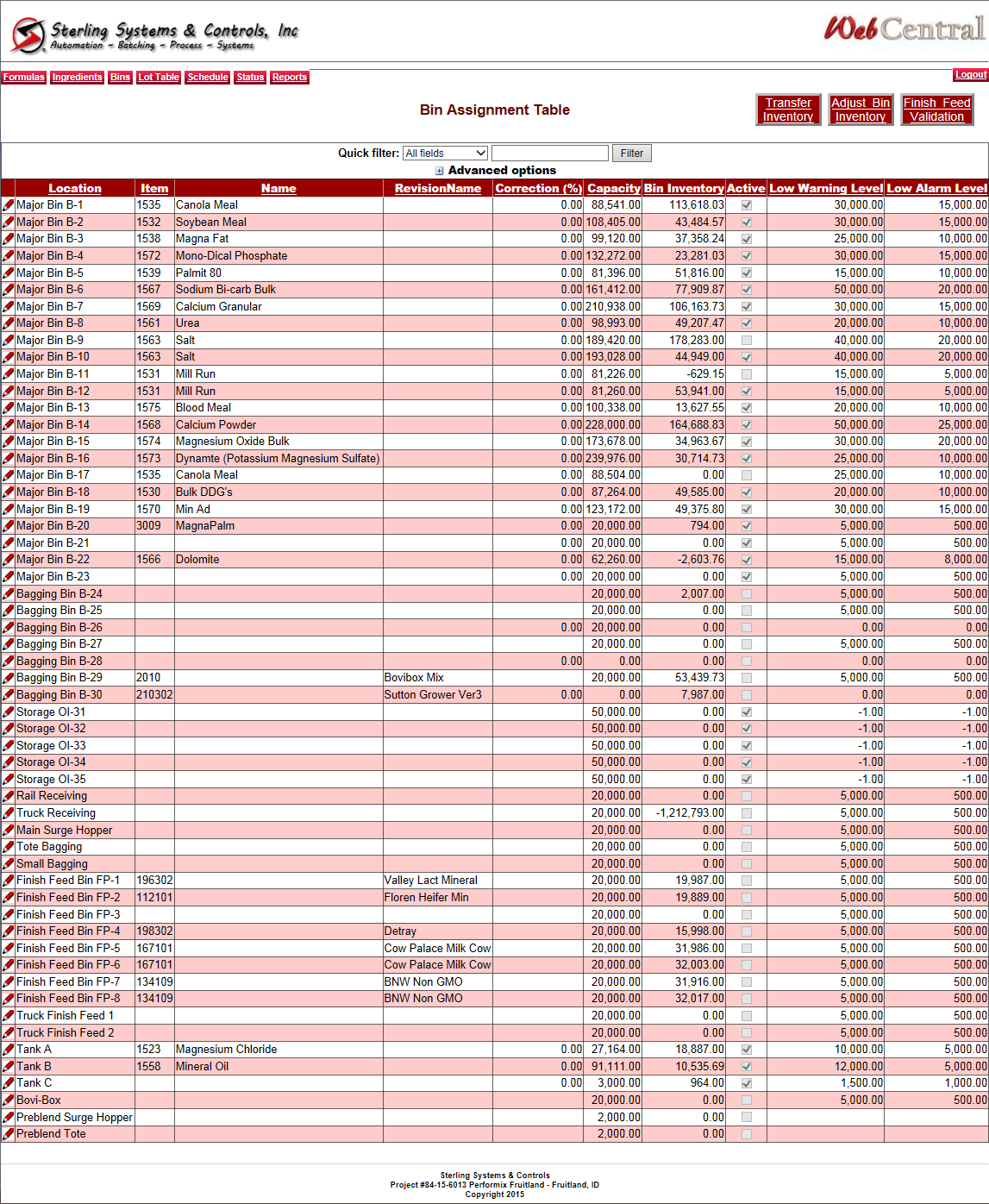
- Manage Bin Assignment Parameters.
- Create and Modify the Batching Schedule.
- Manage Ingredient and Formula Inventories.
- View Current Batching Status in Real-Time (in text form).
- Change System Parameters.
- Most Screens contain Searching and Sorting capabilities to make it easy to find what you are looking for.
- View and Search the Event Log. The Event Log stores all Alarm and Event Information captured by the Batching or Control System.
- Search for, View, and Print Historical Data.
- Print Reports, including Ingredient Listings, Formula Listings, Formula Recipes, Bin Assignment Listings, Batching Schedule, Hand Add Check Lists, Daily Ingredient Usages, and Projected Ingredient Usages.
Frequently Asked Questions
What is supervisory control software?
Supervisory control software provides a centralized interface to monitor and control distributed equipment, gather real-time data, manage alarms and events, and present dashboards that help operators and managers make decisions across an entire plant or process network.
How does supervisory control differ from basic PLC/HMI control?
PLCs and HMIs handle local control at machines or cells; supervisory control software aggregates data from multiple PLC/HMI sources, normalizes the information, and provides broader context, visualization, history, and reporting at plant-wide levels.
Can supervisory software integrate with existing automation systems?
Yes. Sterling designs supervisory control software to interface with existing PLCs, HMIs, historians, and SQL databases. Systems can pull data from heterogeneous control platforms and present unified dashboards and reports.
What benefits does supervisory software provide for plant operations?
Supervisory software increases visibility into key performance indicators, event logs, batch history, recipe status, and process trends. It enables centralized alarm management, shift reporting, and insights that improve uptime, throughput, and decision-making.
Does Sterling provide remote supervision and data access?
Yes. Supervisory control software can include remote access components, historian integration, and web dashboards that let authorized users view plant conditions beyond the shop floor, improving responsiveness and collaboration.