
BatchControl Pro

A semi-automatic, operator-prompted batching station that validates ingredients and lots, enforces over/under weight tolerances, and writes every step to a professional SQL database, so operators don’t miss ingredients and you don’t make bad batches.
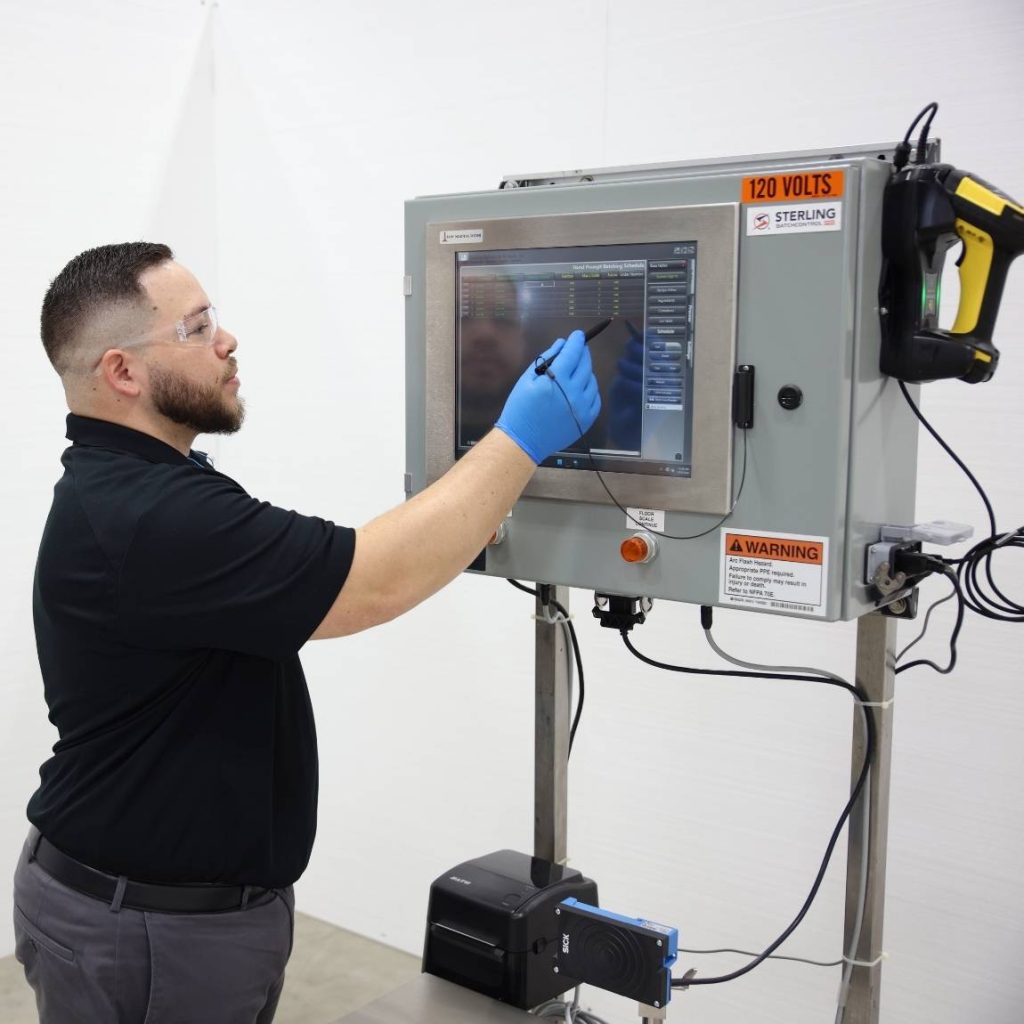
Take Control of Your Batching Process
Key Features & Benefits
Unmatched Batch Consistency
- Precise weighing and sequencing ensure perfect batches every time
- Reduces risk of product variability, improving overall quality
Eliminates Operator Errors
- Guides operators step-by-step through preprogrammed formulas
- Automates calculations for target weights, bag counts, and tare weights
- Real-time tolerance monitoring ensures accurate weighments
User-Friendly Design
- Easy-to-read touchscreen interface simplifies operations
- Intuitive system requires minimal training for operators
Advanced Traceability & Reporting
- Tracks raw ingredient lot numbers for comprehensive traceability
- SQL database stores historical data for compliance and insights
- Optional barcode or RFID scanners streamline lot tracking
Enhanced Cost Efficiency
- Reduces waste caused by inaccurate batches, saving raw materials and costs
- Scalable design adapts to your production needs as they grow
Future-Proof Investment
Advanced SQL reporting delivers actionable production insights. Built with unmatched scalability to support long-term growth.
System Enhancements
Customize your BatchControl Pro with these proven add-on options designed to further reduce errors and boost throughput.

💻
Touchscreen Interface
17″ industrial touchscreen with graphical display for effortless, error-free operation.
⚖️
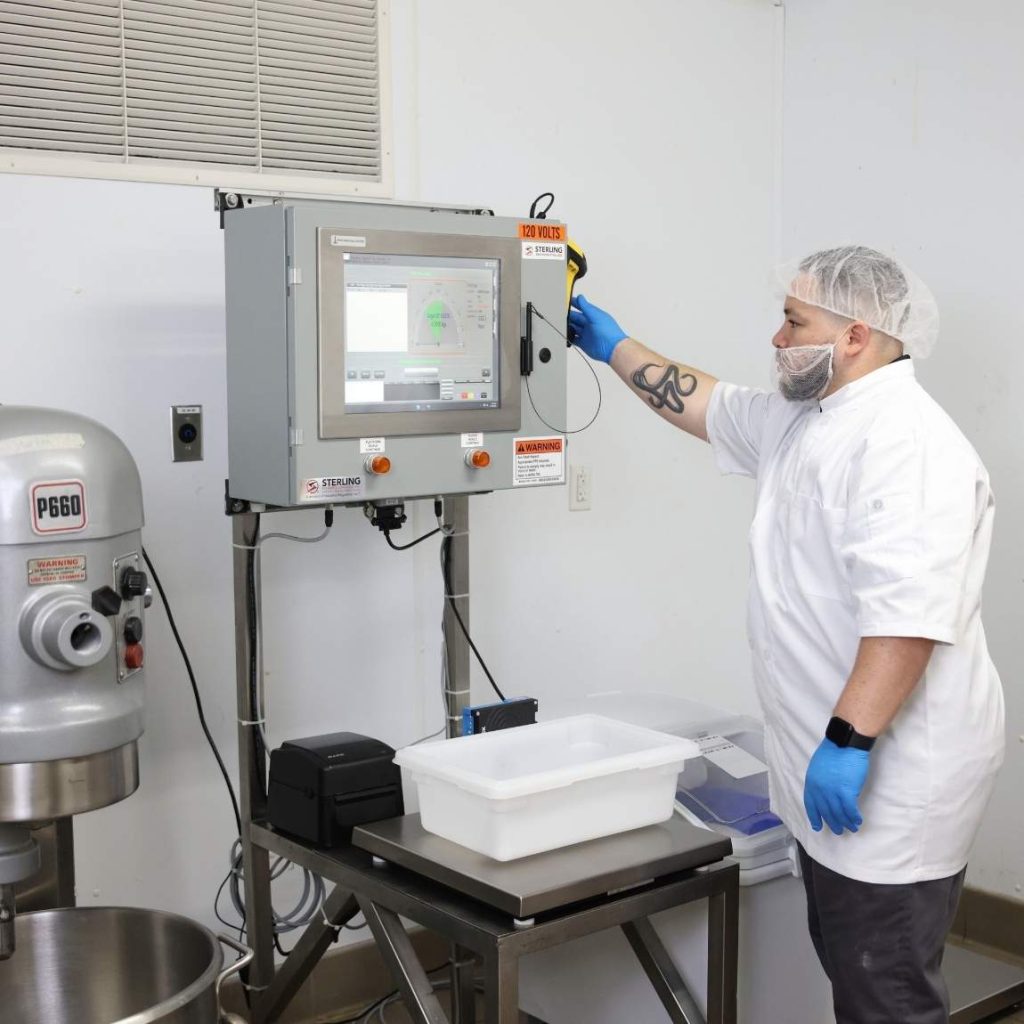
Integrated Scales
Multi-scale setups to manage hand weighed and bagged ingredients with precision.
🔖
Lot Tracking
Barcode and RFID-enabled scanning for seamless, fast lot confirmation and data entry.
🖨️
Batch Ticket Printing
Auto-print batch reports at end-of-batch or on demand to ticket or network printers.
Applications Across Industries
Ideal for any industry where accurate hand batching matters. Works with both dry and liquid ingredients across a wide range of production environments.
🌾
Food Processing
🐄
Livestock Feed
🐾
Pet Food
🏭
Industrial
💊
Pharmaceutical / Nutraceutical
🧪
Chemical
System Photos


LEARN ABOUT STERLING BATCHCONTROL PRO
FREQUENTLY ASKED QUESTIONS
How does the Sterling BatchControl Pro reduce bad batches?
The controller prompts each ingredient step, validates the correct lot, and enforces over/under weight tolerances. The next step won’t index until the addition is in-spec, helping eliminate missed ingredients and out-of-tolerance adds
Do I need to change my process to use it?
No. The station is designed to adapt to your existing process while supporting continuous improvement goals.
What database does it use for batch records?
A professional SQL database stores and manages batch data. Routine maintenance and backups are handled automatically.
Can I use barcode scanning for lots and ingredients?
Yes. A tethered or wireless barcode scanner can be connected at the control panel via a NEMA 4X quick-disconnect bulkhead. Remove the handheld scanner prior to washdown.
How are lot numbers handled and printed?
Lot numbers (up to 30 characters) can be generated and printed at a remote PC/printer using the included software. Typical formats include Julian date/time, vendor code, and item code.
What reports are available?
– OIA Reports
– Event Log
– Batching Historical Reports
– Batch Summary Report
– Ingredient Usage Report
– Ingredient Deviation Report
– Ingredient Inventory Audit Report
– Formula Suage Report
– Formula Production Report
– Bag Check Weigh Audit Report
– Production Reports
– Schedule Report
– Hand Add Check Lists
– Projected Usage Report
Can supervisors review alarms and operator performance?
Yes. Alarm messages can be printed, allowing supervisors to review events and track issues for training and process improvement.
Does it work with supervisory software?
Yes, with WebCentral you can:
– Add, Modify, and Remove Ingredients and Ingredient Process Parameters.
– Create, Modify, and Delete Formula Recipes.
– Manage Bin Assignment Parameters.
– Create and Modify the Batching Schedule.
– Manage Ingredient and Formula Inventories
– View Current Batching Status in Real-Time (in text form).
– Change System Parameters
– Most Screens contain Searching and sorting capabilities to make it easy to find what you’re looking for.
– View and Search the Event Log. The Event Log stores all Alarm and Event information captured by the Batching or Control System.
– Search For, View, and Print Historical Data
– Print Reports, including: Ingredient Listings, Formula Listings, Formula Recipes, Bin Assignment Listings, Batching Schedule, Hand Add Check Lists, Daily Ingredient Usages, And Projected Ingredient Usages.
What networking is required?
The station includes an integrated Ethernet adapter and must be placed on a customer-supplied Ethernet network. If needed, Sterling will help specify networking hardware and cabling; additional network hardware is not included with the station.
Can the system scale as our production grows?
Yes. The same SQL-based foundation and workflow support an upgrade path to automatic minor/micro ingredient systems, streamlining training and preserving your data model.
Why Choose Sterling Systems & Controls?
50+ Years of Expertise
With over 50 years of industry expertise, Sterling provides innovative, reliable solutions that empower your business.
Tailored Solutions
Solutions tailored to your specific needs — trust Sterling to elevate your batching process to the next level.
Proven Reliability
Scalable systems designed for long-term performance and data-driven production management across industries.